Reverse ASIN Lookup: See the Keywords a Book Shows Up For
On this page
- What a reverse ASIN lookup tells you
- Step 1: Find the ASIN
- Step 2: Choose three to five close competitors
- Step 3: Test the idea by hand
- Step 4: Read the list, and the rank
- Step 5: Compare several books
- Step 6: Turn gaps into changes you can make
- What the list teaches you about buyers
- When a lookup misleads you
- A worked example: three jumbo print word search books
- How often to look again
- What can go wrong
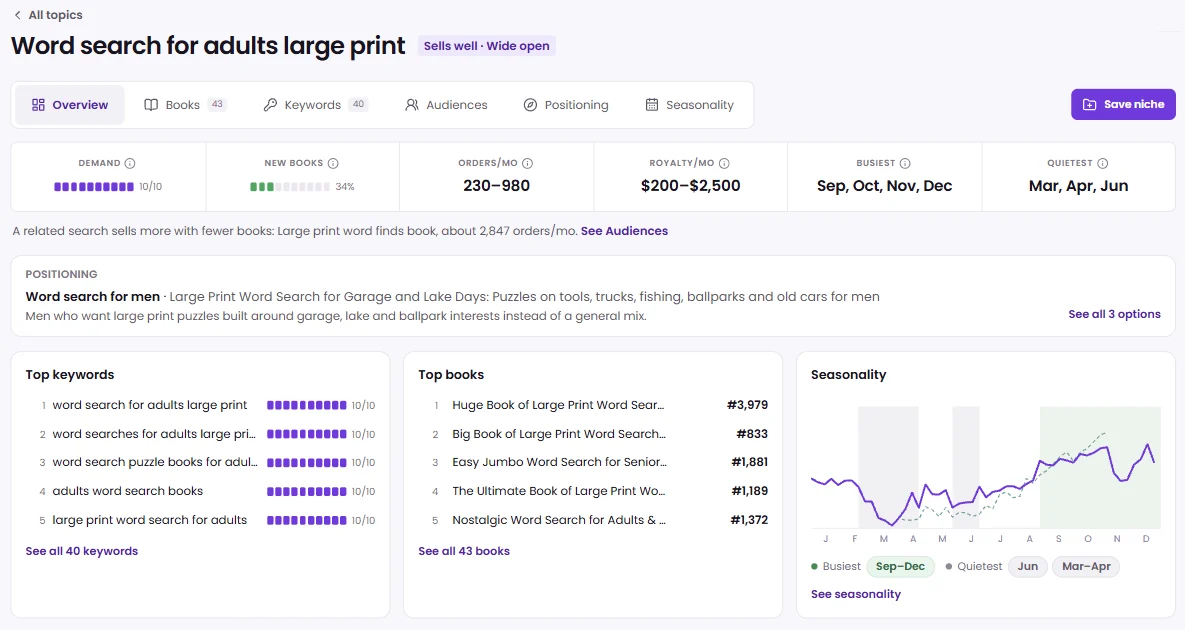
- How NicheWise does this faster
Every book on Amazon has an ASIN, a 10-character code. A reverse ASIN lookup starts from that code and works backwards: instead of typing a phrase and seeing the books, you pick a book and see the phrases it shows up for.
This guide is for KDP self-publishers who want to learn the words buyers use for books like theirs, and find phrases a competing book gets found for that theirs does not. You can try the method for free in a browser.
What a reverse ASIN lookup tells you
Normal Amazon search goes one way. You type a phrase, Amazon shows books. A reverse lookup goes the other way. You give it a book and it lists the searches where that book appears.
That is useful because the top books in your niche have already been found for the words that work. Their keywords show the words real buyers use, and some you would never have guessed.
One limit to know now. The seven keyword boxes an author fills in when setting up a book are private. Nobody outside Amazon and the author can see them. A reverse lookup does not read those boxes. It shows where the book actually appears in search, and that is the more useful list, because it is what buyers saw.
Step 1: Find the ASIN
The ASIN is in the book's web address, after "/dp/", and under Product details on the book's page. It is 10 characters, often starting with B for Kindle and other newer books. Paperbacks may also show an ISBN-10, which works too.
Check it yourself: open any book on amazon.com, scroll to Product details and copy the ASIN. Then look at the web address and find the same code after "/dp/".
Step 2: Choose three to five close competitors
Do not start with the biggest book in the store. A huge bestseller may rank for thousands of phrases because of years of sales and reviews, and most of them will not apply to a new book.
Pick three to five books that are close to yours: the same reader, the same format, a similar price, and a few of them fairly new. Search your main phrase on Amazon and look at page one. The books you pick should be ones you could plausibly sit next to.
Check it yourself: search your best phrase and write down five page one books that match your plan. Next to each, note its publication date and review count. Keep the younger ones, since they show what is working now.
Step 3: Test the idea by hand
You can see the principle with no tool. Take one phrase from the Amazon search box suggestions, search it, and see whether your competitor's book is on the first page. Try another phrase. Each time, you are checking one phrase for one book.
This is what a reverse lookup does for hundreds of phrases at once. Doing it by hand for five phrases shows you what the list will mean, and what it will not.
Check it yourself: pick one competitor book and five phrases from Amazon's drop-down list. Search each phrase and write yes or no for whether the book is on page one. Notice the pattern in the yes answers.
Step 4: Read the list, and the rank
When you run a lookup in a tool, each row is one phrase the book shows up for. Two ideas matter most.
Rank. This is where the book showed in the normal search results, not counting ads. 1 is first. It is not Best Sellers Rank, which is a different number.
Sponsored rank. This is where the book showed in an ad, counting every book above it. A book can appear in a sponsored place without ranking in the normal results for that phrase, and the other way round.
A phrase where the book ranks high in the normal results is one buyers can find it for without paying. A phrase where it only shows in ads is one the author is paying for.
Check it yourself: search a phrase on Amazon and look at the first two pages. Ads carry a small "Sponsored" tag. Count how many of the places above a book are ads, and you will see why the two ranks differ.
Step 5: Compare several books
One book gives you a list. Several give you a pattern. When you look up three to five competitors, you can ask two useful questions.
Which phrases do all of them show up for? These are the phrases buyers expect for this kind of book. Your book probably needs them too.
Which phrases does only one show up for? These are the extras. They may be a gap you can fill, or a quirk of that one book.
If you also look up your own book, you can ask the best question of all: which phrases do my competitors show up for that my book does not? Those are the gaps to close with your title, your subtitle, your description and your keyword boxes.
Check it yourself: put your five lookups from Step 3 in a grid, one row per phrase and one column per book. Mark every yes. Phrases with a yes in every column are the ones to cover first.
Step 6: Turn gaps into changes you can make
A list of gaps is not a to-do list yet. Go through it and sort each phrase:
- It fits your book and sells well. Put it in a keyword box, your title or your subtitle.
- It fits, but the page is held by older books with many reviews. Keep it for later.
- It does not fit your book. Leave it out. A phrase for a different reader brings the wrong buyer.
For each phrase you keep, check it the way you would any keyword: do the books on page one sell, and are there any new ones? The guide to KDP keyword research walks through those checks.
Check it yourself: take the top three gaps from your grid, search each on Amazon, and note how the page one books compare with yours in price and cover. If you could sit among them, the phrase is worth a place in your listing.
What the list teaches you about buyers
Beyond the gaps, a long list of phrases shows how buyers talk. You will see the reader they name (seniors, teens, beginners), the use (travel, gifts, school) and the format (large print, spiral bound, small size). Group the phrases by those three. Each group is an angle for a keyword box, a subtitle or a description line.
You will also see phrases that surprise you. A buyer may search for a feeling, like "calm", or an occasion, like a birthday, that you never thought to name. Those are often the best finds, because few authors write for them.
Check it yourself: take any list of phrases you gathered by hand and sort them into three piles: reader, use, format. The pile with the fewest phrases is the angle your competitors are missing.
When a lookup misleads you
Three cases are worth knowing.
- An old bestseller. A book with years of sales can rank for phrases its cover and reviews earned long ago. A new book will not rank for them the same way.
- A book with a different aim. If the book is a gift book and yours is a workbook, the lists will overlap less than you expect.
- A phrase only the ads show. If the book appears for a phrase only as an ad, the author is paying for that place. It does not mean the book ranks there by itself.
Always read the Rank column and the Sponsored rank column together before you borrow a phrase.
Check it yourself: pick one phrase from a lookup and search it on Amazon. Find the book. Is it in an ad slot or in a normal place? That one look tells you more than the list does.
A worked example: three jumbo print word search books
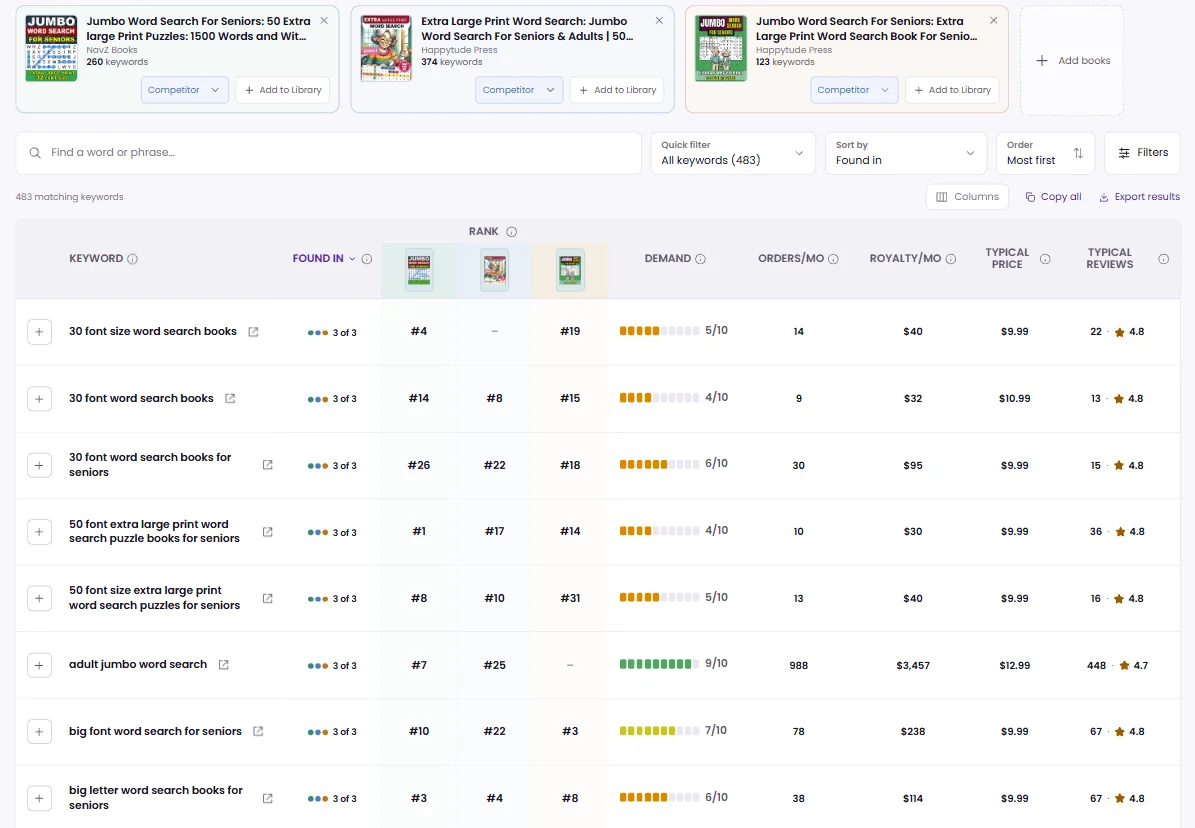
Big bestsellers show up for thousands of phrases, which is a lot to read. A smaller book is easier to learn from. So we looked up a jumbo print word search book for seniors in NicheWise: 50 puzzles, about 200 ratings. It was found for 260 phrases and sat in the top 10 for 109 of them.
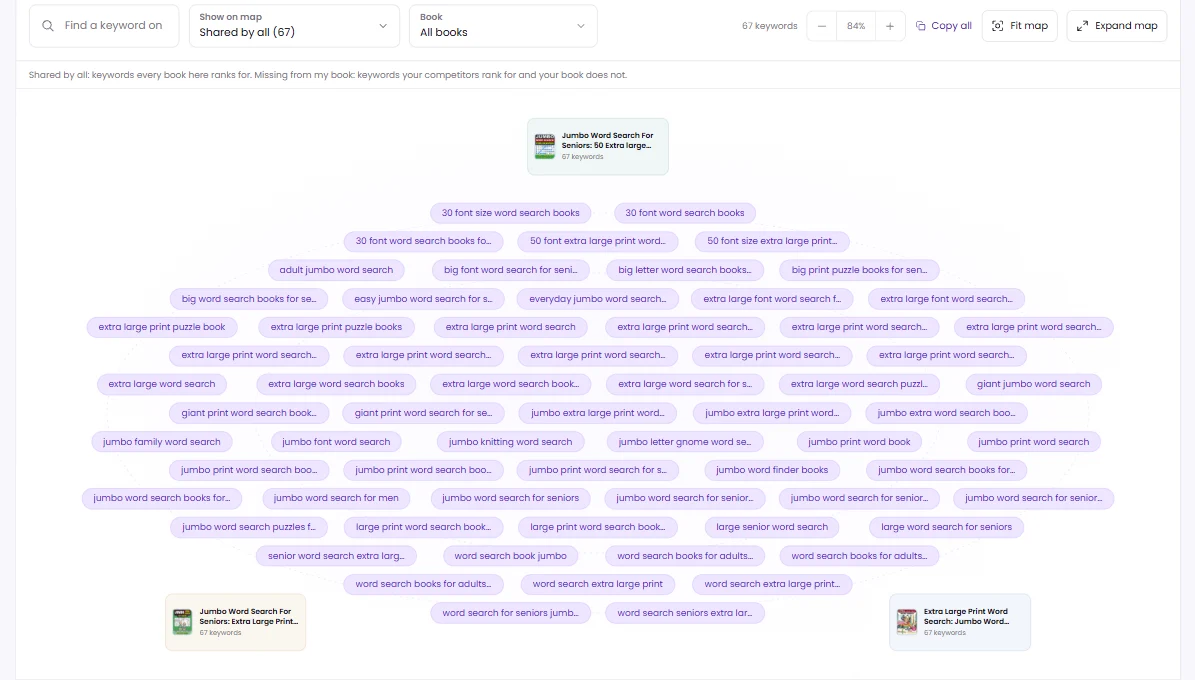
Then we compared it with two similar books from the same niche, found for 374 and 123 phrases. Together the three cover 483 different phrases, and 67 of them are shared by all three. Here are four:
| Phrase | Book 1 | Book 2 | Book 3 | Demand |
|---|---|---|---|---|
| big letter word search books for seniors | #3 | #4 | #8 | 6/10 |
| big font word search for seniors | #10 | #22 | #3 | 7/10 |
| 30 font word search books | #14 | #8 | #15 | 4/10 |
| 30 font word search books for seniors | #26 | #22 | #18 | 6/10 |
Read a result like this in two passes. First look at the phrases every book shares. These describe the niche. Then look at the phrases only one book has, and ask whether a buyer for your book would type them.
The shared phrases here say a lot about the buyer. They shop by how big the letters are, down to the font size, and many are buying for an older reader. That tells you what to put on the cover and in the title. The last row is worth a second look: all three books show up for it, but none of them near the top. A new book that says "30 font" plainly could aim for that kind of phrase first.
A shared phrase is the baseline. A gap is where you can stand out. A phrase one book alone ranks for might be an accident, so check it before you build on it.
How often to look again
A competitor's list is a snapshot. Run the lookup again a month later on the same books. New phrases that appear show what is starting to work. Phrases that drop away show what is fading. Run it once more when a new book enters your page one, because new books are the ones teaching you what buyers want now.
What can go wrong
A reverse lookup shows where a book appeared in search on the day we checked. Search results move, so a phrase can come and go. We check the first two pages of results, so a book that sits further back does not show a rank for that phrase.
It also does not show a book's private keyword boxes, and it cannot tell you how many people searched, because Amazon does not publish search volume. And a keyword list is not a plan. A book may show up for a phrase because of its cover, its reviews or its price, not just its words. Copying a list of keywords will not copy those.
How NicheWise does this faster
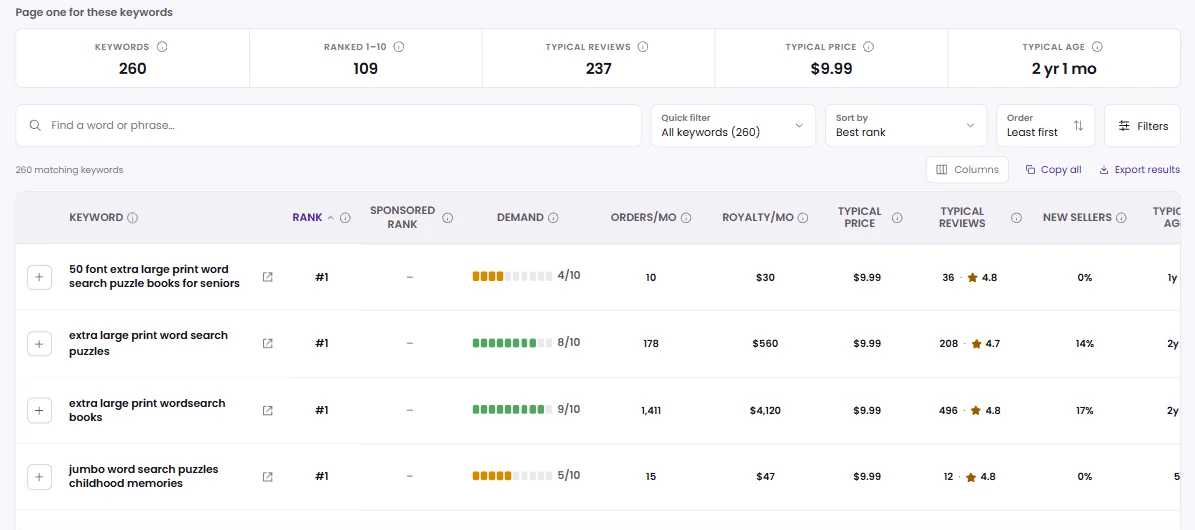
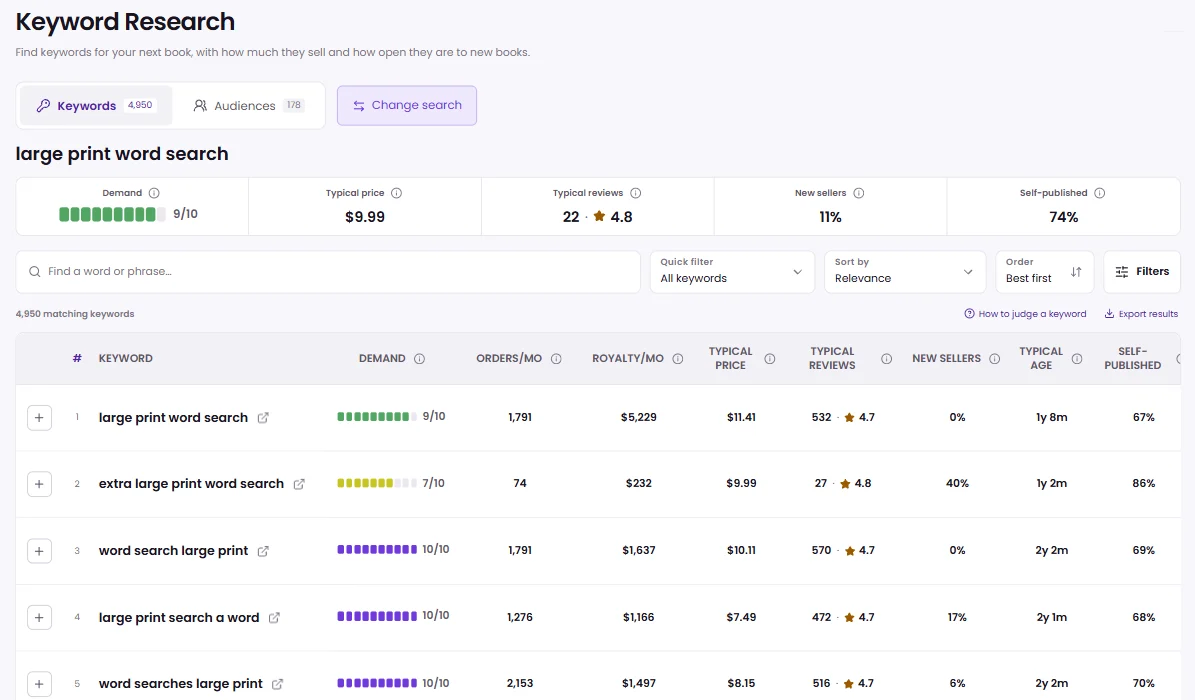
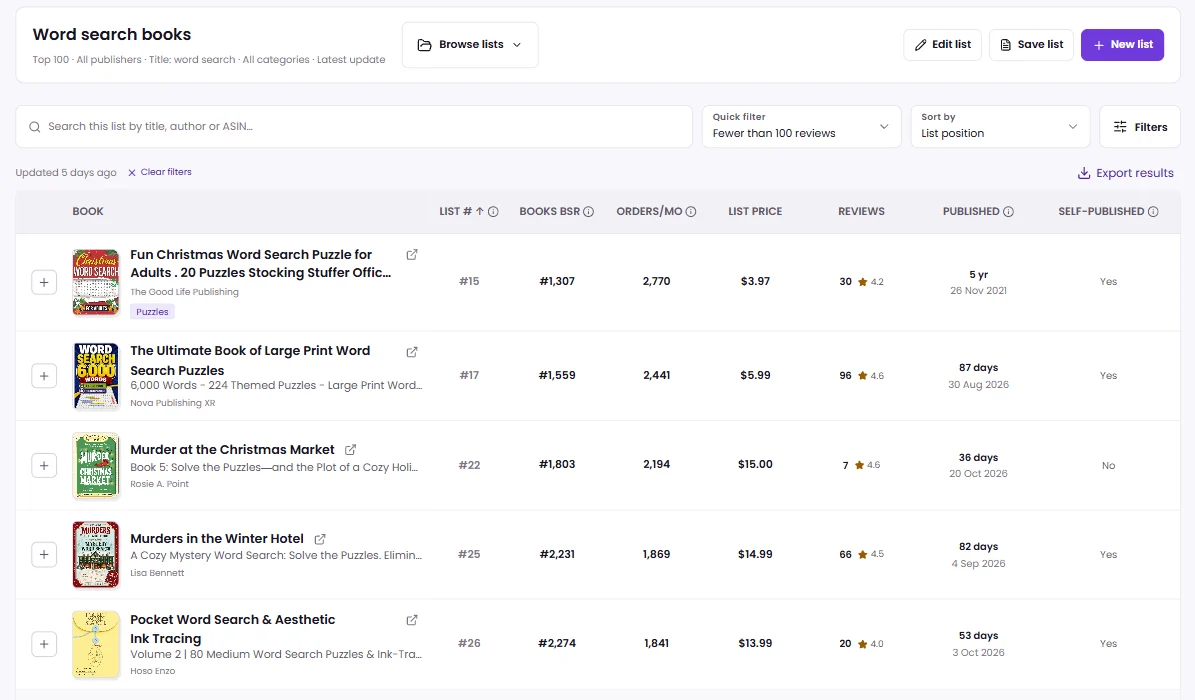
Competitor Keywords is the tool for this. Paste an ASIN, an ISBN-10 or an Amazon.com book link, or choose a book you saved in your Niche Library. Click See keywords, and the table lists each phrase that book was found for, with its Rank and Sponsored rank. The other columns are the same ones as in Keyword Research, such as Demand and Typical reviews. Click a keyword to carry it over to Keyword Research and see how well that phrase sells.
It has three tabs. Book Keywords is the one-book lookup. Compare Keywords lets Pro look up 5 books at once and shows Found in, which counts how many of your books rank for each phrase. Choose This is my book on your own book's card and Missing from my book lists the phrases your competitors rank for and yours does not. Keyword Map draws your books and their phrases as a web, so you can see which books share searches.
Free gives you a few book lookups to start and more each month, looks up one book at a time and shows the first 25 keywords of each. Pro covers 150 books a month, compares 5 books at once and includes the Keyword Map. Opening the same book again within 24 hours costs nothing, and a book saved in your Library stays free to open.
To go from a gap to a phrase you can actually use, see KDP keyword research. To check that the niche is worth entering at all, start with how to find a book niche that sells.
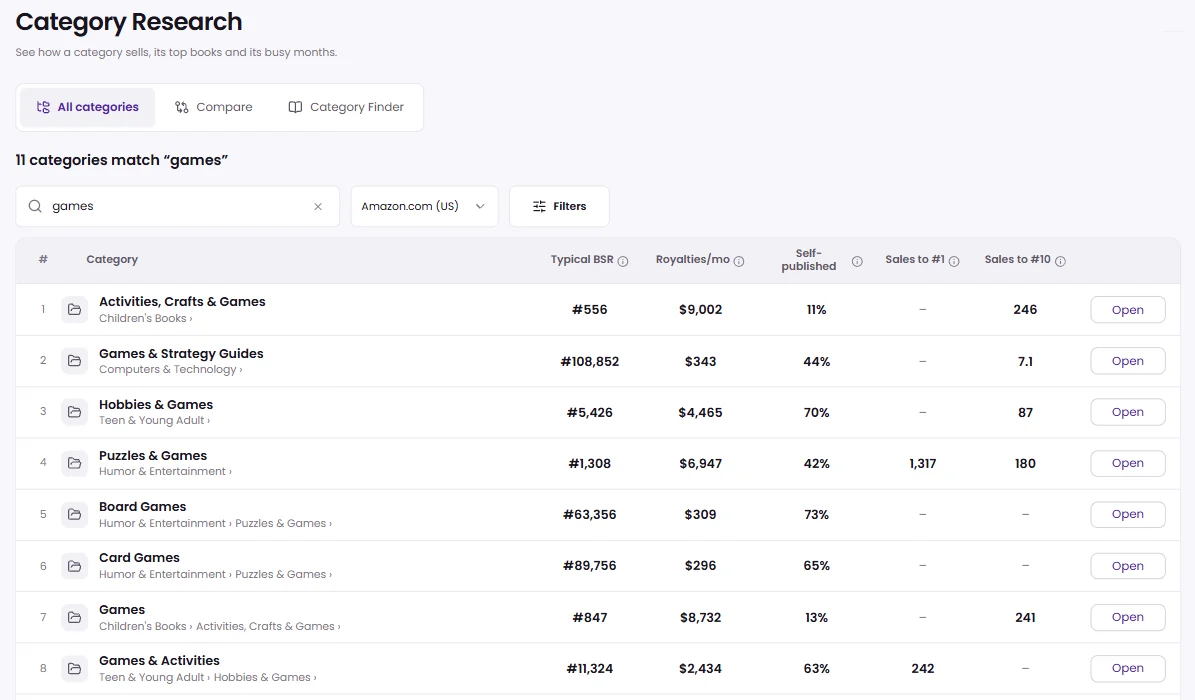
Once you have your phrases, pick categories that fit them, and if the niche has busy months, count back to a publish-by date.