KDP Keyword Research: Find the Words Book Buyers Type
On this page
- Why a keyword is more than a word
- Step 1: Start with your book, in plain words
- Step 2: Let Amazon suggest the phrases
- Step 3: Look at page one for each phrase
- Step 4: Judge a keyword by reading its numbers together
- Step 5: Pick long phrases you can win
- Step 6: Fill your 7 keyword boxes
- Mistakes that waste a keyword box
- Where else keywords matter
- A worked example: large print word search
- How often to look again
- What can go wrong
- How NicheWise does this faster
A keyword is a phrase a shopper types into the Amazon search box, like "gratitude journal for women". KDP keyword research is finding the phrases that real buyers type, and checking that books sell when they do.
This guide is for self-publishers on Amazon KDP who are about to fill in the keyword boxes for a new book, or who want to fix a book that is not getting seen. You can do every check below in a browser, for free.
Why a keyword is more than a word
Most people pick keywords by guessing what a buyer might type. Then they find out that the phrase has no buyers, or that ten big books already own it.
A good keyword needs three things. Shoppers type it. The books on page one sell. And a new book has a fair chance of reaching that page. A phrase can pass one of those and fail the other two.
One caution first. Amazon does not publish search volume. No tool can tell you how many people typed a phrase last month, NicheWise included. Any "searches a month" number you see is a guess. What you can see is how well the books on page one actually sell, and that is what this guide uses instead.
Step 1: Start with your book, in plain words
Write one sentence about the book: who it is for and what it does for them. "A large print word search book for seniors who want a calm evening puzzle." Then pull out the words a buyer would use: large print, word search, seniors, puzzle book.
Do not use your title as a keyword list. Buyers search for what they want, not for what you named your book.
Check it yourself: say your sentence to someone who does not know the topic and ask what they would type into Amazon to find it. Write down what they say, word for word.
Step 2: Let Amazon suggest the phrases
Type the start of a phrase into the Amazon search box and stop. The drop-down list shows phrases shoppers type. Add a letter or a space and read the new list. Do it for a few starting points, like "word search for", "word search large", "word search book".
These suggestions are the cheapest list of buyer phrases you will find. Write down the ones that name a reader or a need, like "for seniors" or "for adults".
Check it yourself: open amazon.com in a private window, so your own history does not change the list. Try the same start with each letter of the alphabet after it and keep every phrase that fits your book.
Step 3: Look at page one for each phrase
Search a phrase and read the first page of results. Ask three questions.
Do the books match yours? If the top results are a different kind of book, the phrase means something else to the buyer. Drop it.
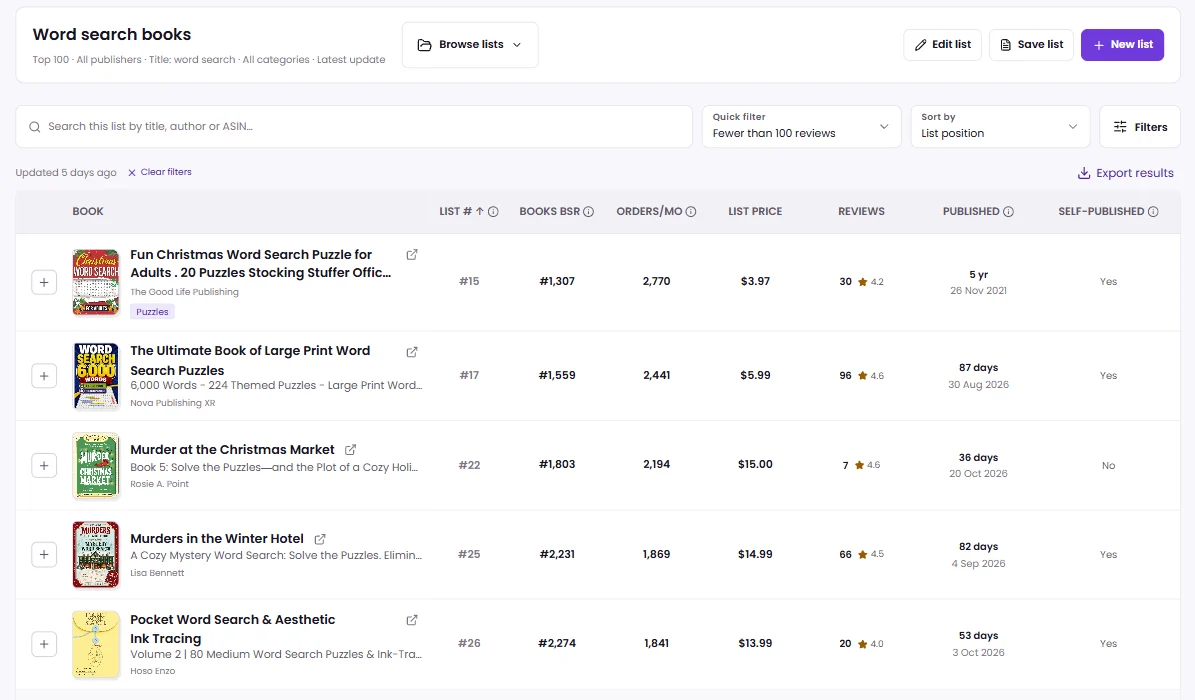
Do the books sell? Open a few and read the Best Sellers Rank under Product details. If most sit in the tens of thousands or better, buyers are turning up. If most sit in the millions, they are not. Rank moves through the day, so look on a few different days.
Are any of the books new? Check the publication dates. If none came out in the last year, older books may hold the page and be hard to move.
Check it yourself: for each of your best five phrases, write the rank and publication date of the top five books in a small table. It takes about ten minutes a phrase.
Step 4: Judge a keyword by reading its numbers together
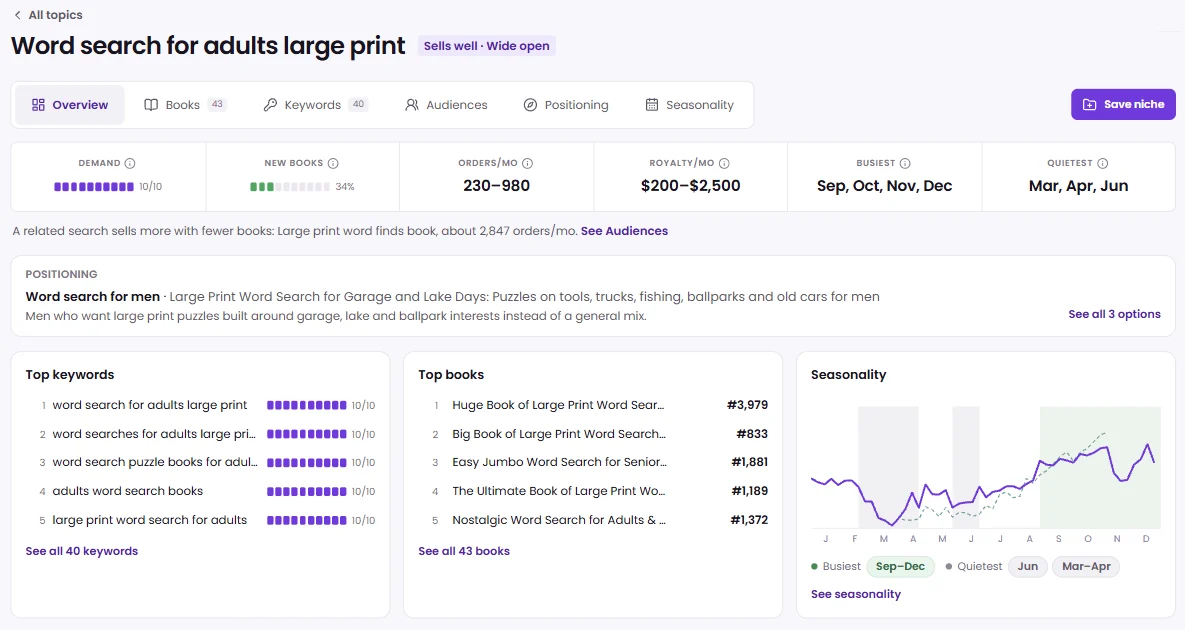
No single number tells you whether a keyword suits you. Read a few together. These are the five looks we use in NicheWise.
- Demand and New sellers. Demand, from 1 to 10, shows how well the books on page one sell. 5 is typical and 7 or more sells well. New sellers is the share of page one books selling 100 or more a month that came out in the last 6 months. High Demand with a higher New sellers share means new books are reaching page one and selling.
- Typical reviews against Demand. Fewer reviews next to strong Demand means readers are buying and the books are still young. Many thousands of reviews mean those books have had years to build up.
- Self-published. This is the share of page one books that self-publishers put out. A higher share means people like you hold places on that page.
- The star rating. Below about 4.3 means some readers are not fully happy, so a better book has room.
- Typical price. Price shows the format more than anything else. A page near $6 holds a different kind of book than a page near $20. Compare it with the book you plan to make.
Then open page one and look at the covers, titles and prices yourself. The numbers narrow the list. Your own eyes make the call.
Check it yourself: take one phrase from Step 2 and write down all five looks by hand from its page one. You will feel how much each one moves your view.
Step 5: Pick long phrases you can win
A short phrase like "word search" has the most books and the most competition. A longer one like "large print word search for seniors" has fewer books and a clearer buyer. These are called long-tail keywords.
For a new book, long phrases are usually the better starting point. Pick the ones where the page one books match yours, sell well, and include some new books. Keep the short phrase for later, once your book has reviews.
Check it yourself: search a short phrase and a long one on the same topic. Count how many of the first ten books on each page also appear on the other. The fewer that overlap, the more different the two pages are.
Step 6: Fill your 7 keyword boxes
When you set up a book in KDP, you get 7 keyword boxes. Each takes up to 50 characters. Buyers never see them. They help Amazon decide which searches your book should show up for.
Use them like this. Put one strong phrase in each box, and make each box a different angle: the reader, the use, the format, the occasion. Do not repeat words that are already in your title, because they already count. Do not use another author's name or a book title that is not yours.
You also choose up to 3 categories for the book. Pick ones where the books on page one look like yours.
Check it yourself: read your 7 boxes aloud, one after the other. If two boxes sound the same, one of them is wasted. Replace it with a new angle.
Mistakes that waste a keyword box
A few habits cost authors a box without them noticing.
- Words already in your title. Amazon already counts them. A box that repeats them adds nothing.
- One phrase said four ways. "Word search for seniors", "senior word search" and "word search seniors" are the same buyer. Use one and spend the other boxes on a new angle.
- Broad single words. "Puzzle" or "journal" puts you against every book in the store. A phrase that names a reader or a need is easier to win.
- Phrases that mean something else. If page one shows a different kind of book, the buyer wanted that book, not yours.
- Never looking again. Page one changes. A phrase that was open in spring may be held by new books by winter.
Check it yourself: write your 7 boxes in a list next to your title. Cross out any word the title already holds, then see how many boxes still say something new.
Where else keywords matter
The 7 boxes are not the only place a phrase works. Your title and subtitle are read by shoppers and by Amazon, and your description is read by shoppers. Put the main phrase where a buyer would expect it, in plain words. A title stuffed with phrases looks like a trap and loses the click.
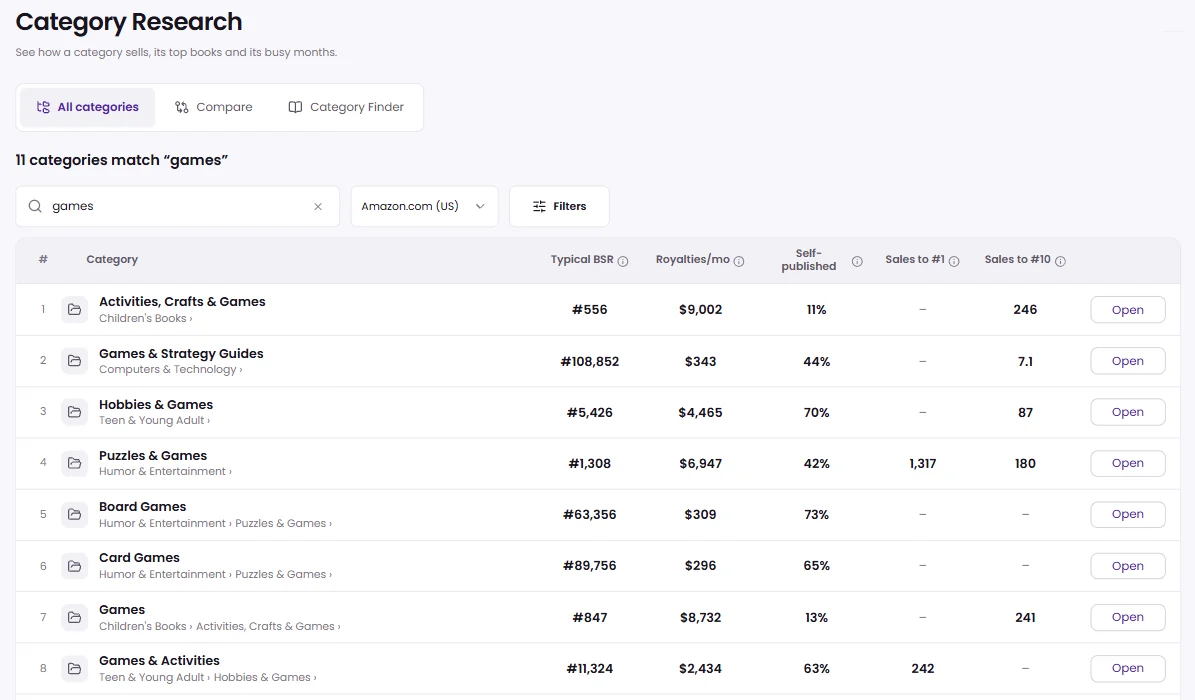
Your categories matter too. A book can sit in up to 3, and the books in a category tell a buyer what kind of book yours is. Pick categories where your keyword research showed page one books like yours.
Check it yourself: open the top three books for your best phrase and read their titles and subtitles. Note where each puts its main phrase, and what it puts first.
A worked example: large print word search
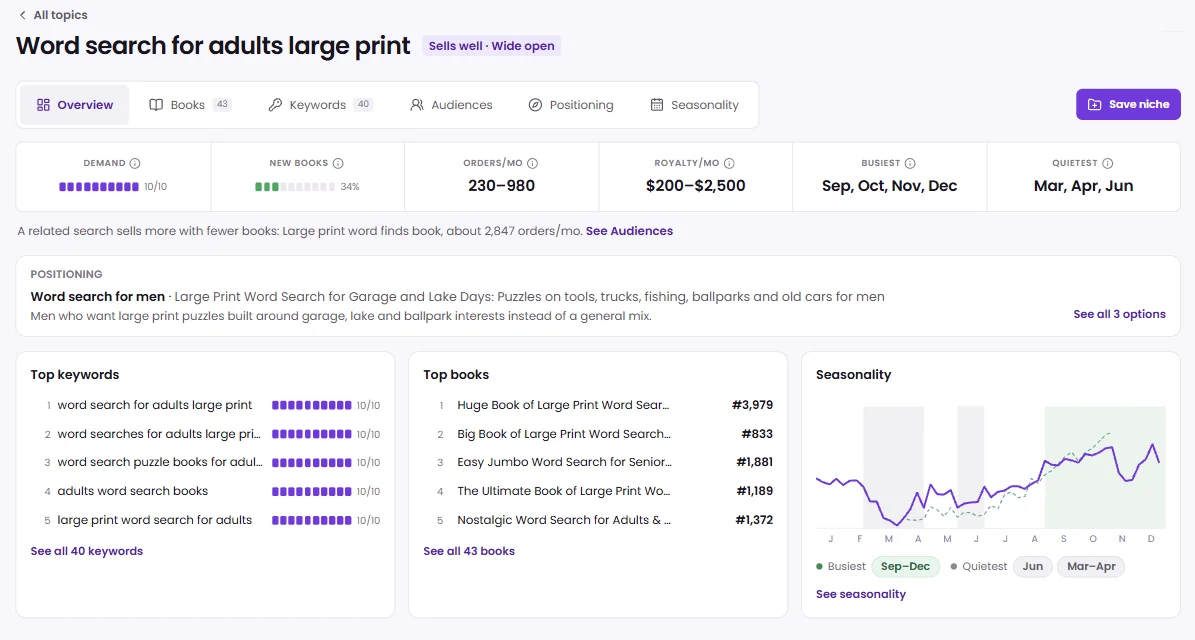
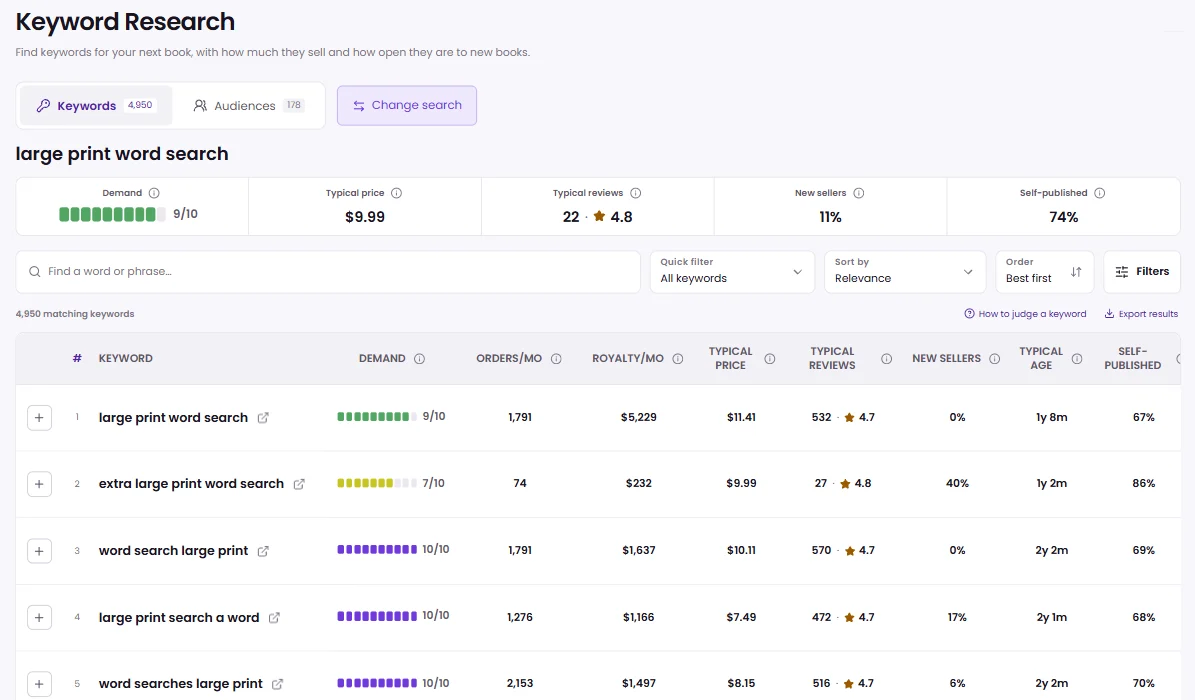
A search for "large print word search" in NicheWise finds thousands of phrases. These are the first five:
| Phrase | Demand | Typical reviews | New sellers |
|---|---|---|---|
| large print word search | 9/10 | 532 | 0% |
| extra large print word search | 7/10 | 27 | 40% |
| word search large print | 10/10 | 570 | 0% |
| large print search a word | 10/10 | 472 | 17% |
| word searches large print | 10/10 | 516 | 6% |
Read a result like this row by row, using the five looks from Step 4. A row with high Demand and a good share of new books is a phrase to put in a box. A row with high Demand and no new books is held by older books. A row with low Demand may be easy to reach but has few buyers when you get there.
- "large print word search" and "word search large print" have plenty of buyers, but the typical book on page one has over 500 reviews and no new books are selling well there. Older books hold these.
- "extra large print word search" has fewer buyers, but the typical book has only 27 reviews and 40% of the books selling well are new. A new book can get onto this page. This one goes in a box.
- "large print search a word" has a top Demand score too, and 17% of its good sellers are new. There is room here too.
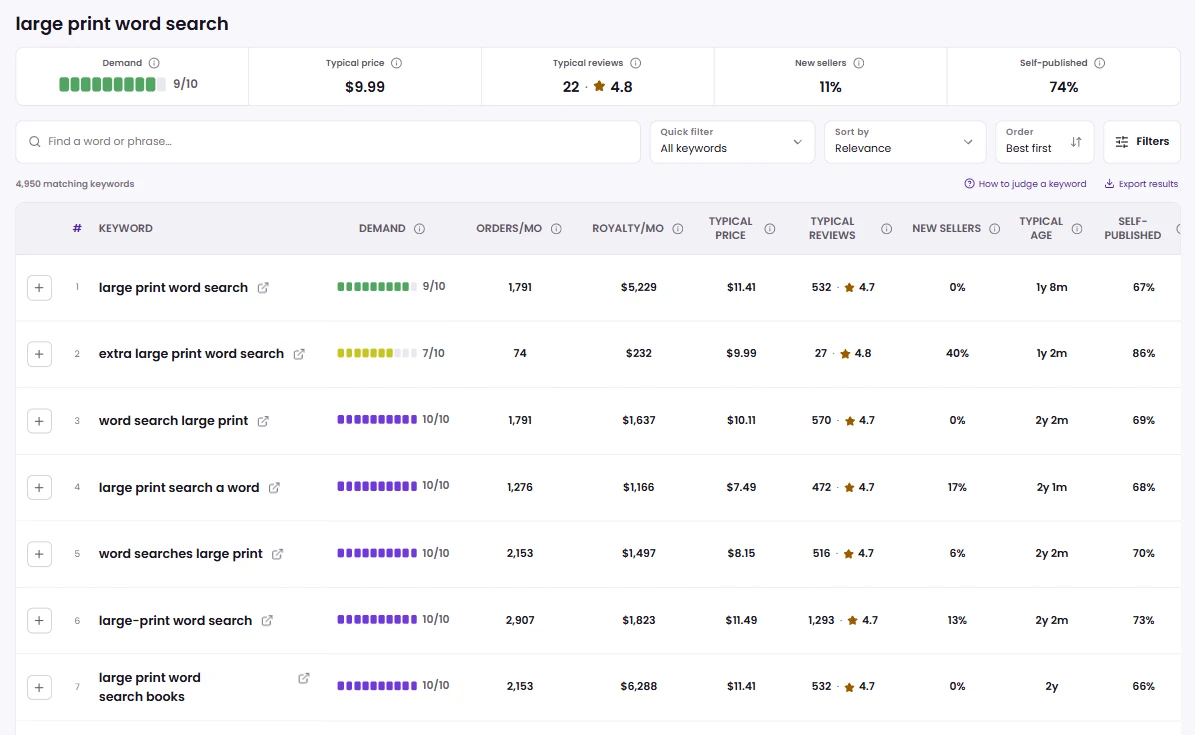
The point is the pairing. Any phrase that passes only one look is a trap. The ones worth using pass the lot.
How often to look again
Keywords are not a one-off job. Check your best phrases again a month after you publish, and again when you notice sales move. If new books have reached page one, your phrase has become more open. If older books have taken over, it may be time to swap that box for a fresh angle. Changing a box takes a minute in KDP, so there is no reason to leave a weak one in place.
Keep a short list of each book's boxes and the date you set them. Then a change in sales can be tied to a change you made.
What can go wrong
Every sales figure on Amazon is an estimate, worked out from rank. It is close enough to compare phrases, not to plan your rent. A phrase can also change: a few new books can take over page one in a month. And a dash in a column means we do not have that figure. It never means zero.
Keywords also do not do the whole job. Your cover, title and price decide whether a buyer clicks once your book shows up. If you want to check the niche behind a phrase, read how to find a book niche that sells.
How NicheWise does this faster
The steps above take ten or fifteen minutes a phrase. Keyword Research does them for a whole topic at once. Type a topic, a book type or a reader need, click Search keywords, and you get a table of phrases. Each row shows Demand, Orders/mo, Typical price, Typical reviews, New sellers and Self-published for the books on that phrase's first page. Click a row to see the reviews you would need to beat. Click the link icon to open that search on Amazon.
On Pro you can filter the list. The Sweet spot filter keeps the keywords where books sell well and a self-published book with 50 or fewer reviews already sells 100 or more orders a month. Long-tail keywords keeps the longer phrases. You can also export the list as a spreadsheet.
Free gives you a few searches to start and more each month, and shows the first 25 keywords of each. That is enough to test the method on your next book.
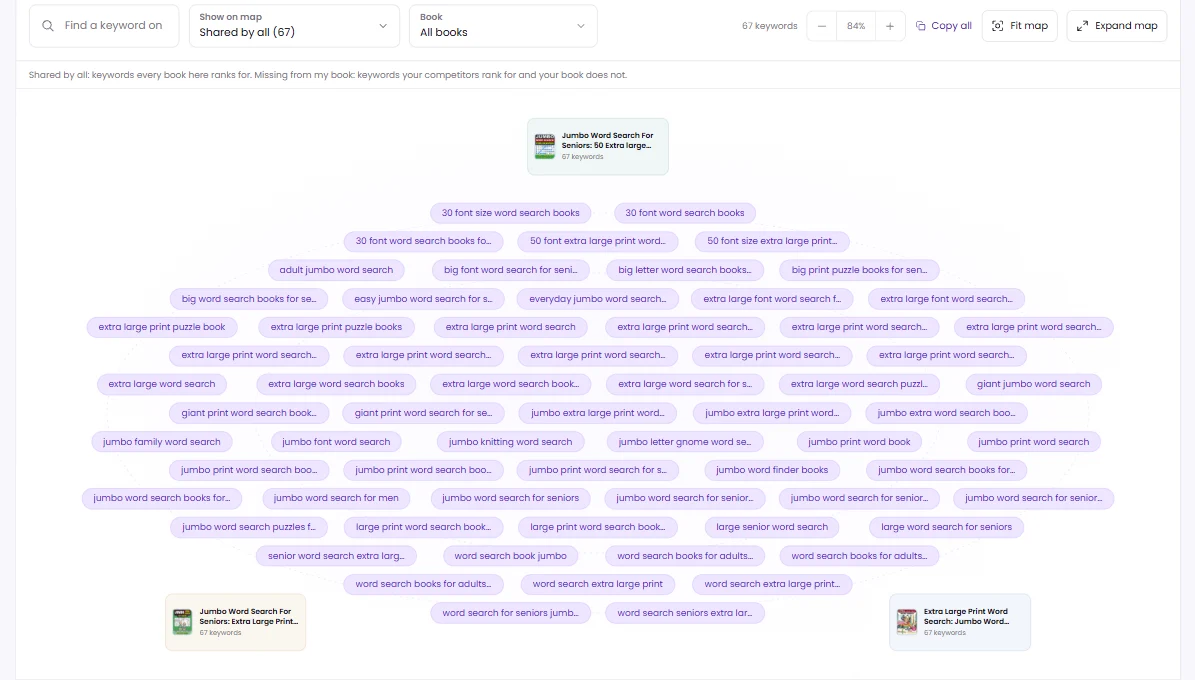
When you want to know what a competing book already ranks for, use reverse ASIN lookup to see the phrases it shows up for.
If your niche sells in a short burst each year, plan the keywords along with a publish-by date, so the listing is ready before the buyers come.