How to Sell Books on Amazon: A Step-by-Step Guide
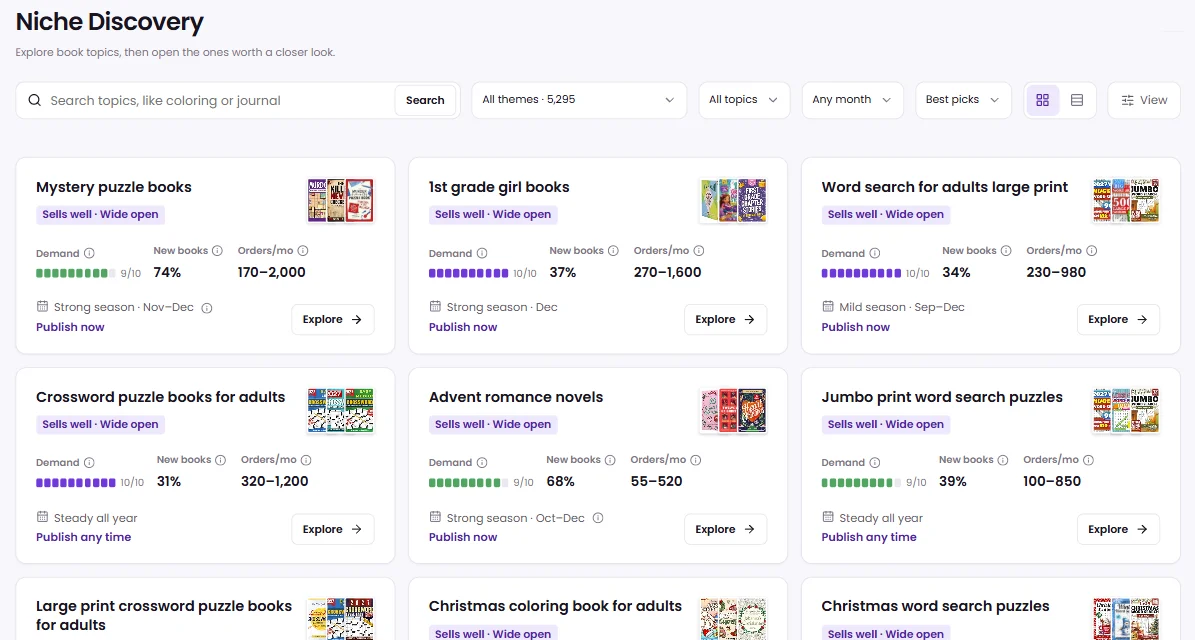
Selling your own book on Amazon takes nine steps, and you can do all of them yourself through Amazon KDP, Amazon's free publishing service. This guide goes through them in order, from choosing what to publish to the first sales and what to watch after. It is for self-publishers selling a book they made: a novel, a nonfiction book, a children's book, or a low content book such as a journal or puzzle book.
If you want to sell used or new books from other publishers, that is a different thing: it runs through Amazon's seller account, not KDP, and this guide does not cover it.
If you are new to KDP itself, read what Amazon KDP is first. It covers the costs, the royalties and how you get paid.
Step 1: Pick a book people already buy
This is the step that decides most of what follows. A good book in a niche nobody shops in sells little. An ordinary book in a niche where buyers outnumber good books can sell every day.
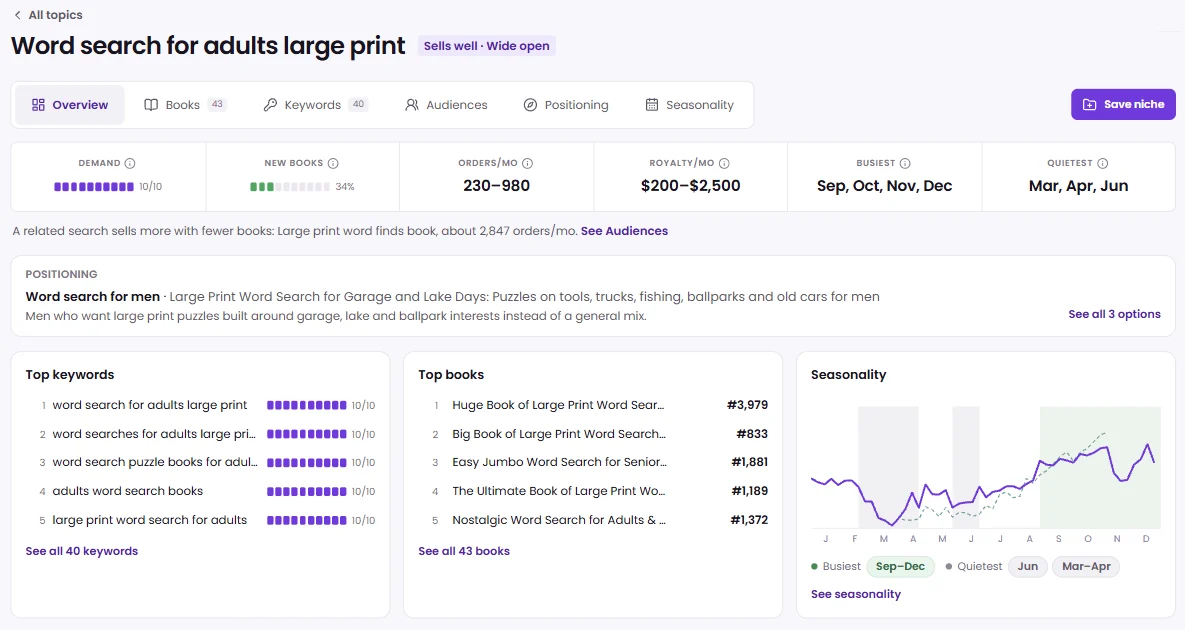
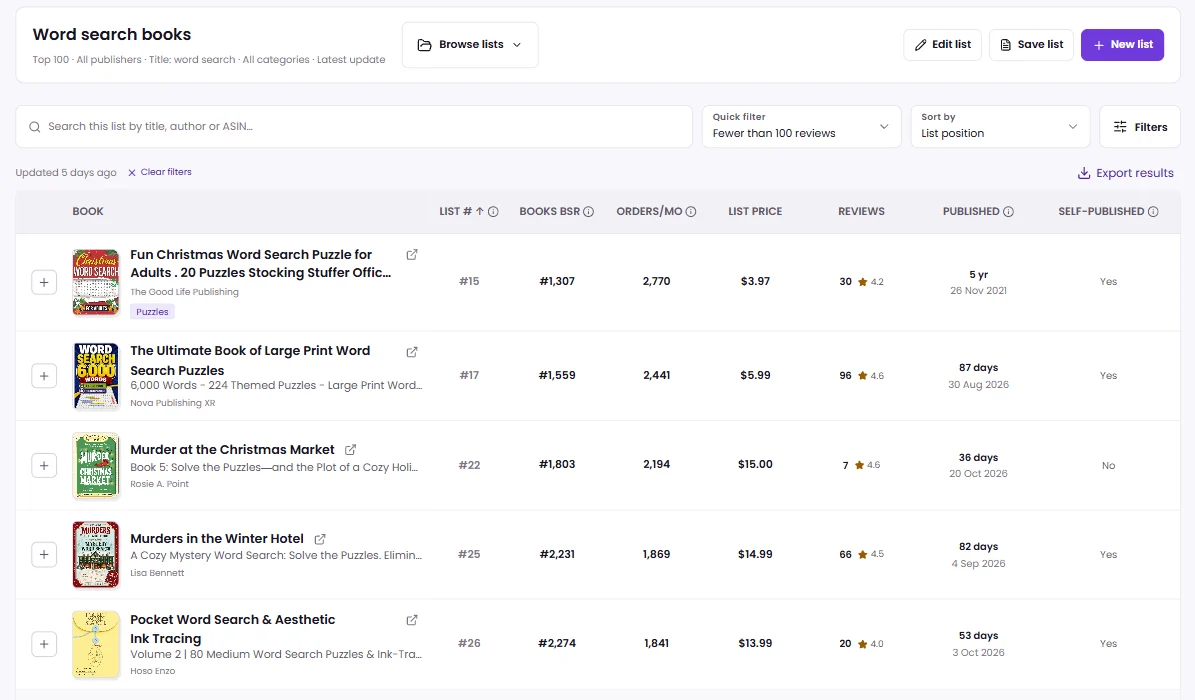
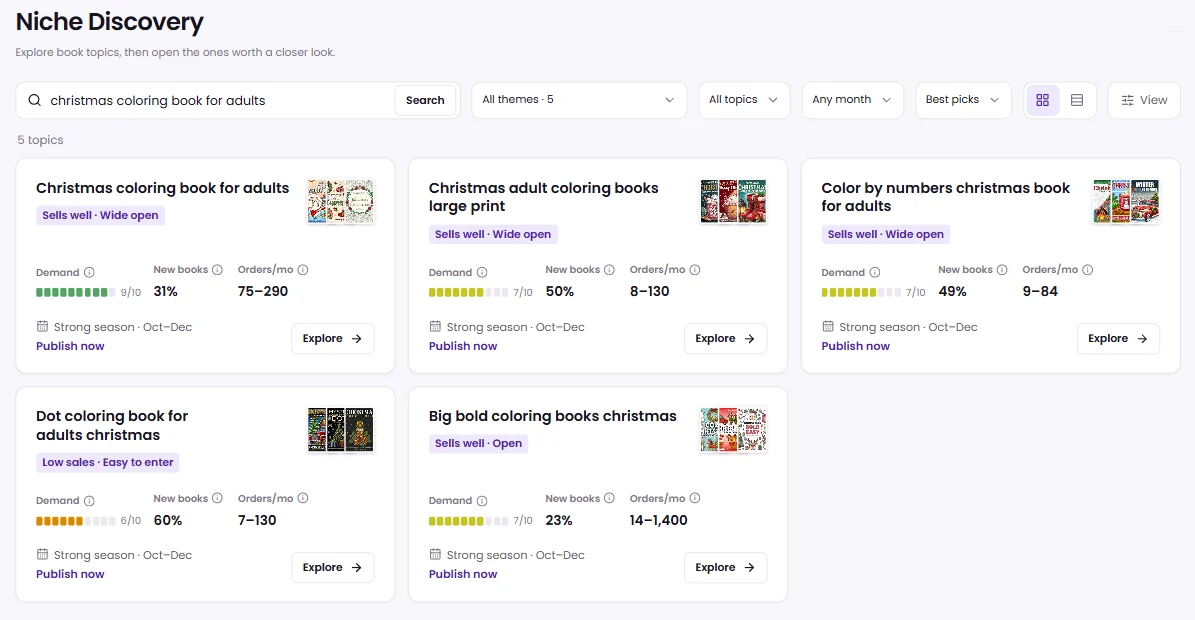
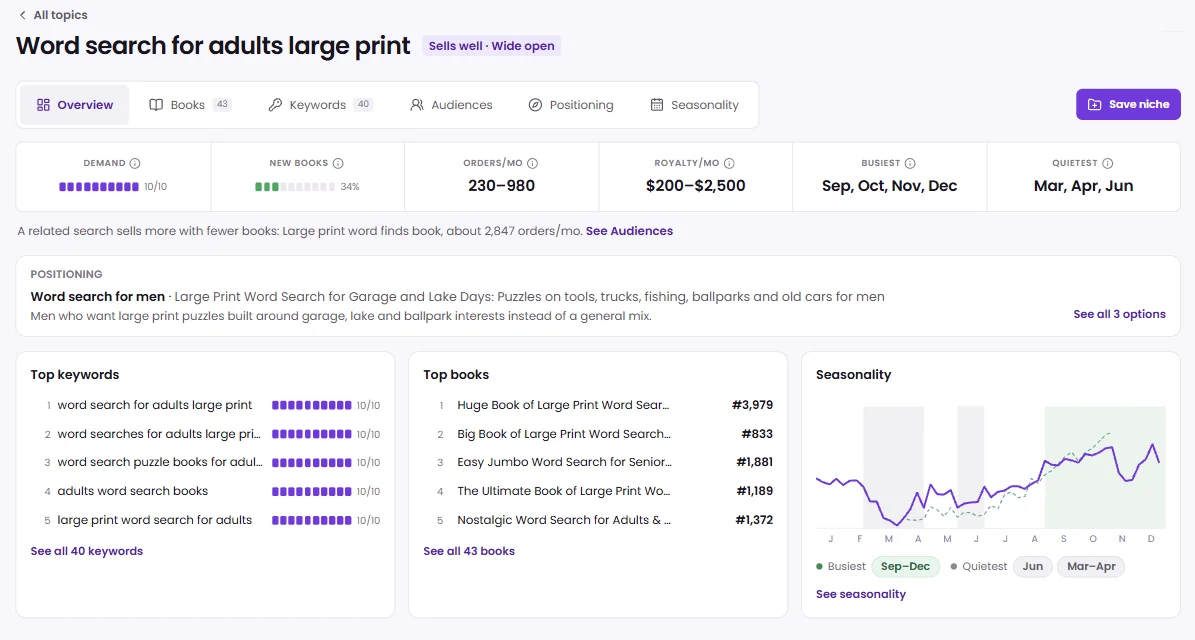
Before you start, check three things about your idea. Do the books on page one of an Amazon search for it sell? Are some of those good sellers new, so a new book still gets a look in? And are there busy months when buyers come?
Check it yourself: search Amazon for your idea and open the top five books. Note each one's Best Sellers Rank under Product details, and its publication date. If most rank well and one or two are less than a year old, the idea is worth a closer look. The guide to finding a book niche that sells walks through the full check.
Step 2: Choose your formats
KDP publishes Kindle eBooks, paperbacks and hardcovers. You can publish one or all three, and Amazon links them on one book page.
- eBook suits books people read once, especially fiction.
- Paperback suits nearly everything, and is the only sensible choice for books people write in, like journals and activity books.
- Hardcover suits gift books and longer books, at a higher price. KDP needs at least 75 pages for one, so most picture books are paperback only.
Step 3: Make the book
You need two files for each print format: the interior and the cover. For an eBook, the interior can be a Word document or an EPUB file.
Pick a trim size first, since the interior and cover are built to fit it. 6 x 9 inches is common for novels and nonfiction, and 8.5 x 11 for activity and puzzle books. The trim and the page count both change your printing cost, so check the royalty before you settle on them.
KDP has a free Cover Creator, and a cover template for your exact trim and page count if you design your own. Order a proof copy before you publish a print book. It is the only way to see the print, margins and cover as a buyer will.
Step 4: Set up your KDP account
Sign in to KDP with an Amazon account, then complete your tax profile and add your bank details. You cannot publish until the tax profile is done. It asks a few questions about you and where you pay tax, and it takes a few minutes.
Step 5: Write the listing
The listing is what a shopper sees, and what Amazon's search reads.
- Title and subtitle: say what the book is, in the words a buyer would type. "Word Search for Adults: 100 Large Print Puzzles" tells a shopper and Amazon more than a clever title alone.
- Description: who the book is for and what they get, in short paragraphs.
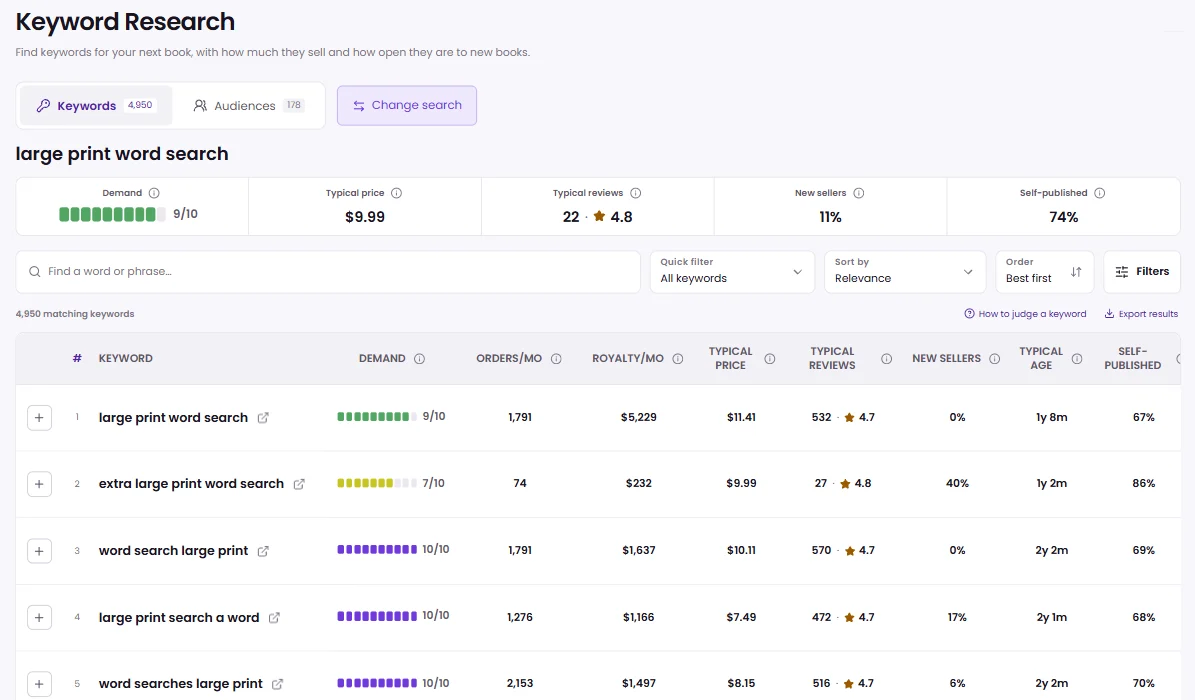
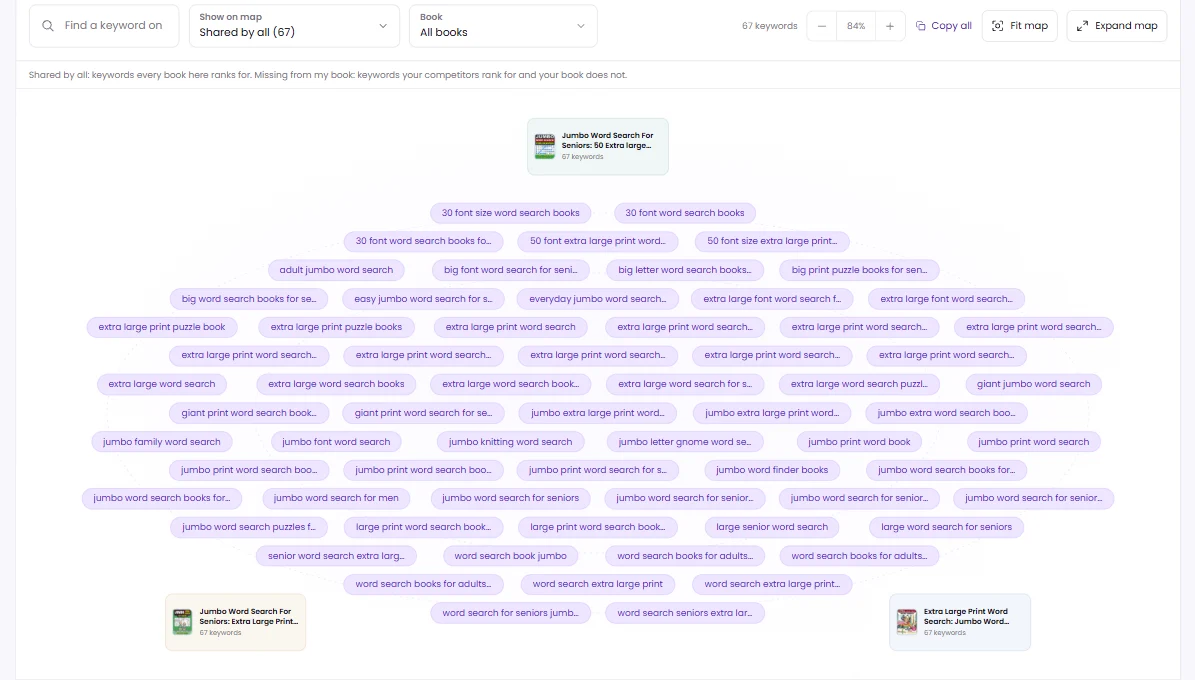
- Keywords: up to 7 words or phrases. Use phrases shoppers really type and that you are not already using in the title. The guide to KDP keyword research shows how to find them, and a reverse ASIN lookup shows the phrases the top books in your niche are found for.
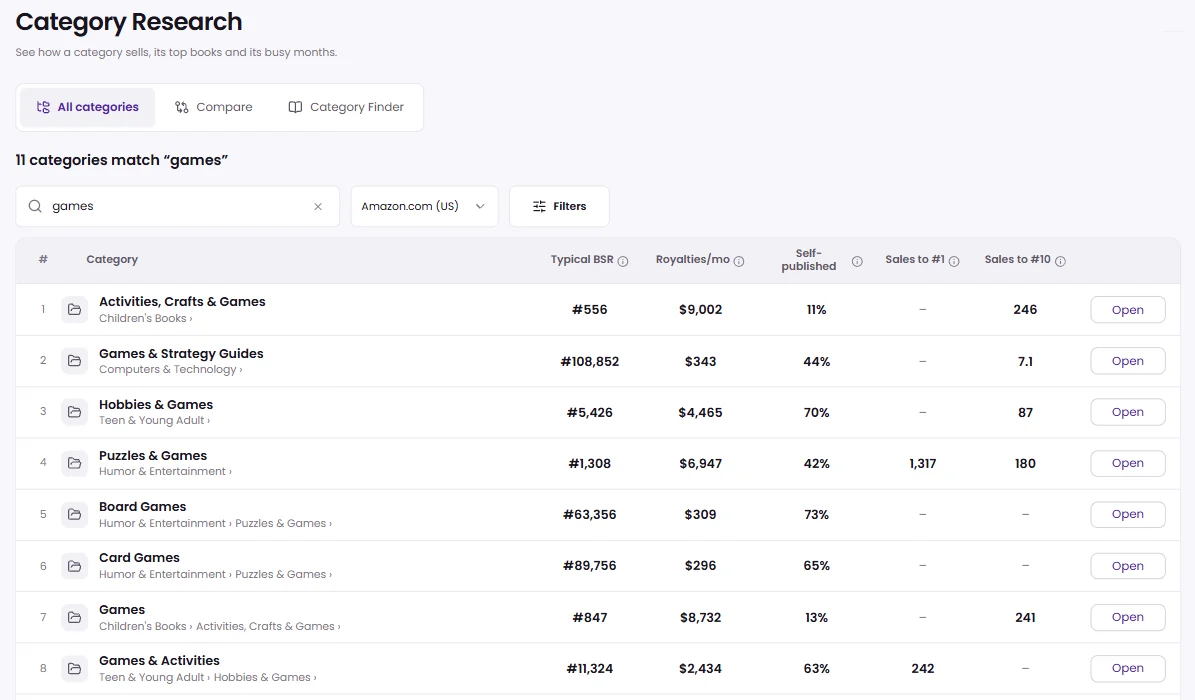
- Categories: up to 3 sections of the store. Pick ones where the top books look like yours. See how to choose KDP categories.
Step 6: Price it
Look at what the books on page one charge, and start there. Then check your royalty.
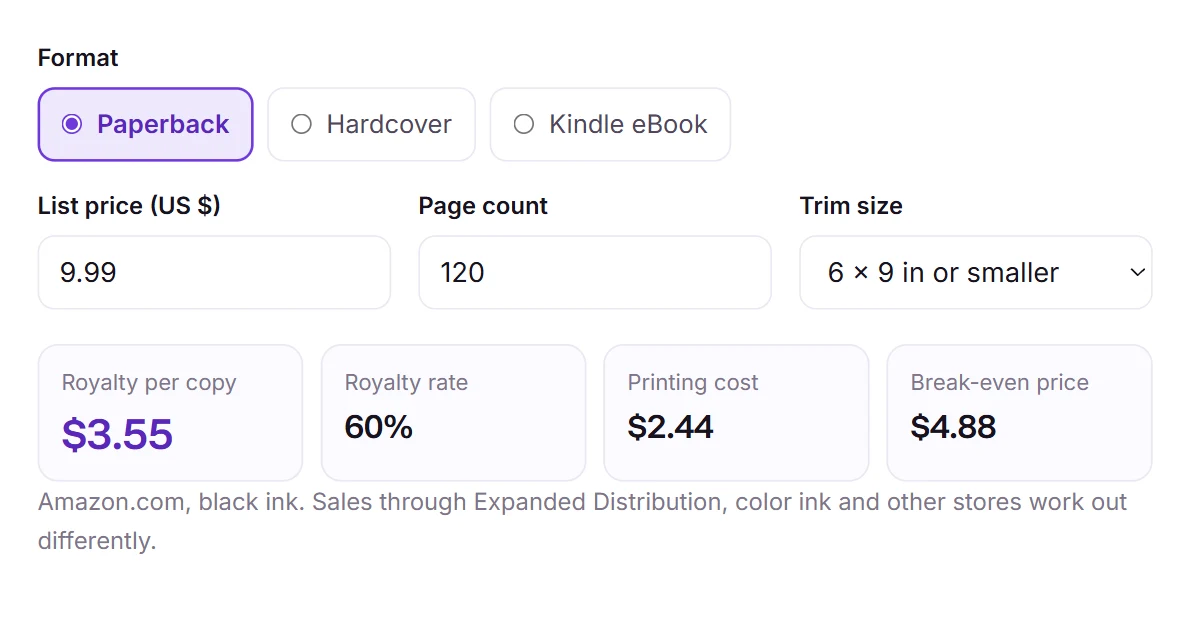
For a paperback on Amazon.com, KDP pays 60% of the list price minus printing from $9.99, and 50% below it. A 120-page 6 x 9 paperback earns $3.55 a copy at $9.99, and $2.55 at $9.98. For an eBook, the 70% royalty applies from $2.99 to $12.99. The KDP royalty calculator shows the royalty for any price, page count and format.
Step 7: Publish, then wait for it to go live
Press publish and KDP reviews the book. Most books go live within about 3 business days. A first book can take a little longer, and low content and activity books can take a few weeks. Once it is live, search for it on Amazon, open the page and check the title, description and price.
Step 8: Get the first sales
A new book does not show up on page one on its first day. These steps help it get found.
- Tell the people who already know you. Friends, a mailing list, a social account or a community for your subject. A few early sales and reviews help a new book settle in.
- Ask for honest reviews. Ask readers to leave a review if they liked the book, in the back of the book or in your emails. Never pay for reviews or swap them with other authors; Amazon's rules forbid it and it can cost you the book.
- Try a small ad budget. Amazon Ads lets you show your book on search pages for the phrases you choose. Start small, with your best keywords, and stop what does not sell.
- Set up your author page. Amazon's free Author Central lets you add a photo, a short bio and all your books in one place.
Step 9: Watch how it sells, and adjust
After a few weeks, look at your book's Best Sellers Rank, and the ranks of the books around it. If your book sits far behind, the listing is the first thing to look at: the cover, the title, the price and the keywords.
Two more things are worth watching. If your niche has busy months, plan the next book so it is live before them; see when to publish a book. And read what Best Sellers Rank means, so you know what a good rank looks like for your kind of book.
How NicheWise helps
The slowest part of all this is Step 1, checking that a book idea sells before you make it. NicheWise does that check in one place. It shows how the books in a niche sell, how many new books are selling there, its busy months and the phrases shoppers type. Its Chrome extension adds the same figures to Amazon's own search pages.
NicheWise is not affiliated with Amazon. Amazon's own KDP help pages are the final word on its rules.